
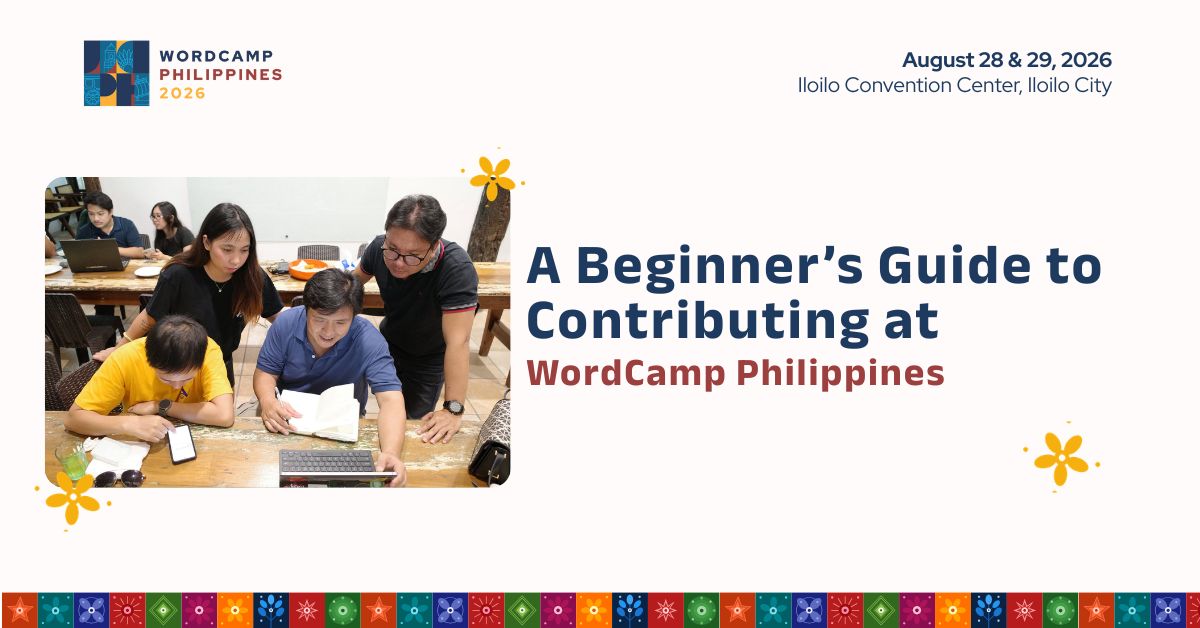
First time joining Contributor Day? Here’s everything you need to know to get started.
You might be wondering:
“Where do I go?”
“Which team should I join?”
“What am I supposed to do?”
“What if I don’t know anyone?”
“What if I’m not technical enough?”
Don’t worry. You don’t need to be an expert to contribute to WordPress.
This guide will walk you through what to do before, during, and after Contributor Day so you can arrive feeling prepared and confident.
Before Contributor Day

You don’t need to spend hours preparing. Just take care of a few things before the event.
1. Get your WordPress.org account ready
Create or sign in to your WordPress.org account before Contributor Day.
Some contributor activities and tools use your WordPress.org account, so having it ready will save you time.
2. Bring your laptop and charger
Many teams have hands-on activities you can work on during Contributor Day.
Bring:
- 💻 Laptop
- 🔌 Charger
- 🌐 Your WordPress.org account
- 🧠 Curiosity and questions
You don’t need to install a bunch of tools or software beforehand unless your chosen team specifically asks you to.
3. Explore the teams
Take a few minutes to browse the Make WordPress teams and see what interests you.
You don’t need to choose a team before the event. Just have an idea of what you might like to try.
4. Think about your skills and interests
Not sure where you fit?
Think about what you already enjoy doing.
Do you like…
- Helping people? → Support
- Writing or editing? → Documentation
- Languages? → Polyglots
- Taking photos? → Photos
- Teaching? → Training
- Organizing and connecting people? → Community
- Testing and finding issues? → Test
- Coding? → Core
- Building plugins? → Plugins
- Creating themes? → Themes
- Working with WordPress hosting? → Hosting
- Making websites easier for everyone to use? → Accessibility
You don’t have to be an expert in any of these areas.
When You Arrive

Your first few minutes don’t have to be complicated.
Step 1: Find the Contributor Day area
Check in and look for the Contributor Day team tables.
If you’re not sure where to go, ask an organizer or volunteer.
That’s what we’re here for.
Step 2: Find a team
Look around the tables and see what catches your attention.
If you already know which team interests you, head over and introduce yourself.
If you’re unsure, ask a table lead:
“I’m new to Contributor Day. Which team would you recommend for me?”
They can help you find a good starting point.
Step 3: Tell the table lead that you’re new
Don’t be afraid to say:
“This is my first time contributing.”
That’s useful information for the table lead.
They can explain what the team does, recommend a beginner-friendly task, and help you understand where to start.
What Can I Actually Contribute?

This is where many first-timers get nervous.
You’re not expected to make a huge contribution.
Your first task might be something as simple as:
- Reviewing a documentation page
- Testing a WordPress feature
- Translating a few strings
- Submitting a photo
- Answering a support question
- Reviewing a training resource
- Testing a plugin or theme
- Learning how WordPress tickets work
- Checking a website for accessibility issues
- Pairing with another contributor on a task
Your table lead will help you understand the task.
If you get stuck, ask for help.
If you don’t understand something, ask questions.
If you make a mistake, learn from it and keep going.
That’s how contributing works.
Which Team Should I Join?

Here’s a quick guide to help you decide.
👷♂️Support
Try this if you enjoy helping people.
You can help WordPress users find answers, troubleshoot problems, and discover useful resources.
You don’t need to know every answer. Knowing how to find the right information is already useful.
📝 Documentation
Try this if you enjoy writing, editing, or explaining things.
You can review documentation, suggest improvements, and help make instructions easier to understand.
🌏 Polyglots
Try this if you speak another language.
Help translate WordPress so more people can use and learn WordPress in their preferred language.
📸 Photos
Try this if you enjoy photography.
Help contribute photos to the WordPress Photo Directory that others can freely use.
🎓 Training
Try this if you enjoy teaching or learning.
Help create and improve learning materials for WordPress users.
🤝 Community
Try this if you enjoy events and connecting people.
Learn how the WordPress community supports meetups, WordCamps, and other community activities.
🧪 Test
Try this if you enjoy testing things and finding problems.
Help test WordPress features, reproduce issues, and report what you discover.
💻 Core
Try this if you’re interested in development.
Help work on WordPress itself. Beginners can start by learning how tickets, patches, and the development process work.
🔌 Plugins
Try this if you enjoy building or improving plugins.
Help with plugin development, testing, reviews, documentation, or other activities that make the WordPress plugin ecosystem better.
🎨 Themes
Try this if you enjoy design, themes, or frontend development.
Contribute to the WordPress theme ecosystem through development, testing, design, documentation, and related work.
🌐 Hosting
Try this if you’re interested in web hosting and infrastructure.
The Hosting Team works with hosting providers and the broader WordPress community to improve the WordPress hosting experience.
♿ Accessibility
Try this if you care about making WordPress usable by everyone.
The Accessibility Team works to improve WordPress so that people with different abilities can use, navigate, and contribute to the project.
You don’t need to be an accessibility expert to get involved. Learning how to identify accessibility issues can be a valuable first contribution.
What If I Choose the Wrong Team?
You can change your mind.
You might join Support and discover that Documentation is more interesting.
You might try Test and realize you’d rather work with Community.
That’s okay.
Contributor Day is a chance to explore.
Talk to different people. Ask questions. Try different things.
You don’t have to commit to one team forever.
What If I Don’t Know Anyone?
This is completely normal.
Contributor Day brings together people from different backgrounds, communities, and experience levels.
Start with a simple introduction:
“Hi! I’m [Name]. It’s my first Contributor Day.”
That’s all you need.
From there, ask what the team is working on or how you can help.
You’ll probably find that someone else at the table was once in exactly the same position.
What If I’m Not Technical Enough?
You are.
WordPress needs more than developers.
It needs people who can write, translate, teach, test, organize, communicate, take photos, provide feedback, and help others.
Your existing skills can be useful.
And if you don’t have a particular skill yet, that’s okay too.
Contributor Day is also a place to learn.
Bonus: Join Open Source Library

Try this if you’re curious about open source and want to learn directly from people with experience.
Open Source Library is a special program where you can book an “Open Source Book” for a conversation.
Each book is a person with their own experience, knowledge, and story in open source. You can choose a book based on a topic or experience you’re interested in, book a time to talk with them, and have a one-on-one conversation.
You can ask questions, hear about their journey, learn from their experiences, or simply have a conversation with someone who has been involved in open source.
You don’t need technical skills or previous contribution experience. Just bring your curiosity and a few questions.
Your Contributor Day Checklist
Before you arrive
- Create or sign in to your WordPress.org account
- Bring your laptop
- Bring your charger
- Browse the Make WordPress teams
- Pick one or two teams you’d like to explore
When you arrive
- Check in
- Find the Contributor Day area
- Introduce yourself to a table lead
- Tell them it’s your first time
- Choose a team
- Start with a beginner-friendly task
- Ask questions
- Ask for help when you need it
- Explore another team if you want to
Most Importantly: Have Fun
Contributor Day isn’t an exam.
Nobody is grading you.
You don’t need to solve a major WordPress issue.
You don’t need to make the biggest contribution in the room.
Show up. Learn something. Meet people. Try something new.
Your first contribution might be small, but it could be the beginning of a much bigger journey in the WordPress community.
Ready to take your first step?
Contributor Day at WordCamp Philippines 2026 is FREE, but separate registration is required—even if you already have a WordCamp Philippines ticket.
See you at Contributor Day on August 28!
Join Contributor Day at WordCamp Philippines!
Join fellow WordPress builders, creators, and learners. Secure your spot today!
